mirror of
https://github.com/gosticks/raycast-mite.git
synced 2026-08-16 23:00:22 +00:00

Raycast Plugin
Allows the usage of mite with Raycast launcher.
Installation
-
Clone this repo to any location on your mac
-
Build and install the dependencies by
npm install && npm run buildin the extension folder -
Install Raycast if you have not already.
brew install --cask raycast -
In Raycast > Settings > Extensions enable Developer extension to allow installation of extensions from source
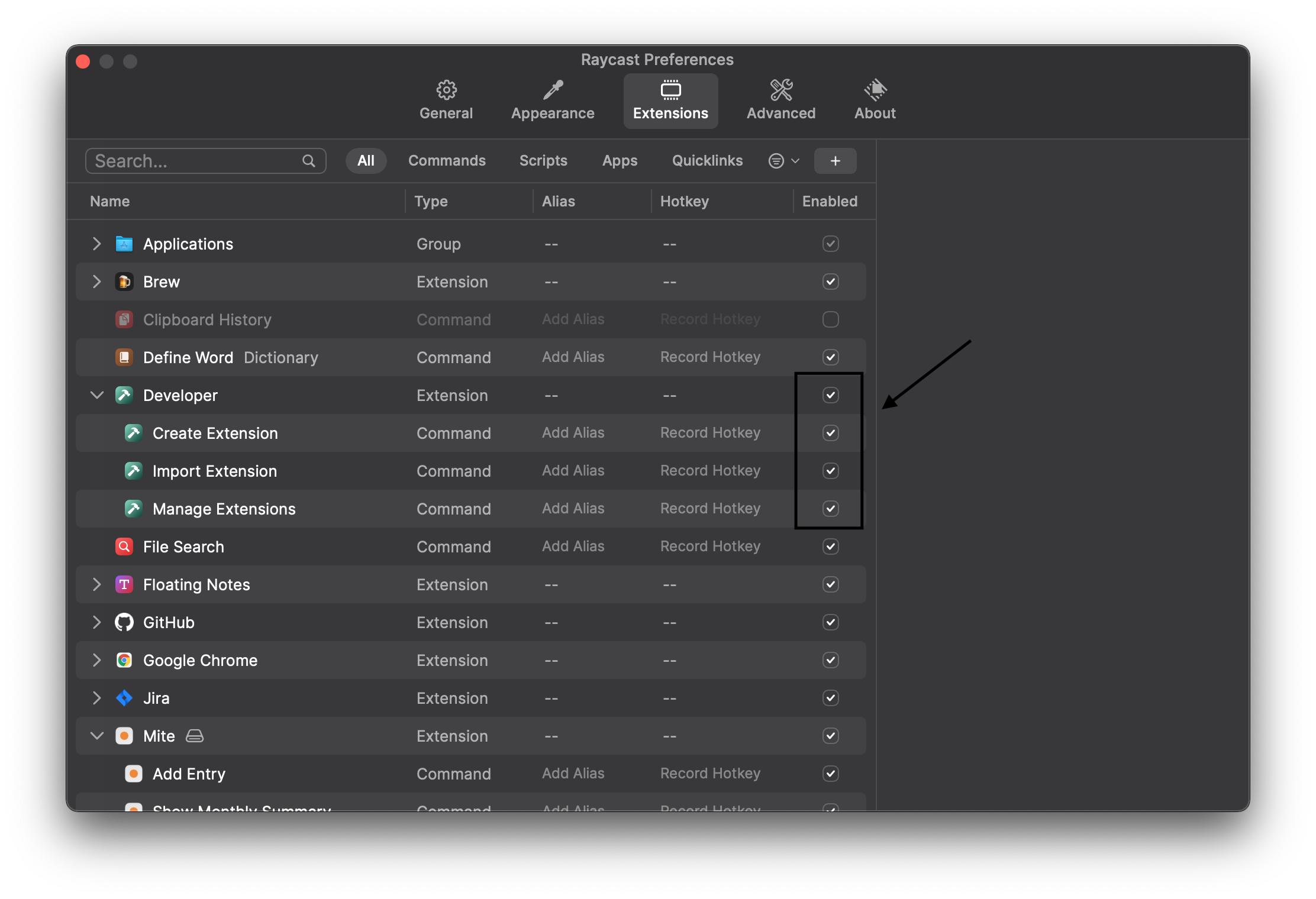
-
Import Extensions by opening Raycast and selecting
Import Extension. In the file dialog select theraycast-miteclone target folder from step 1.

Development
If you want to improve this extension yourself simply run npm run dev in the extension folder. This will start a dev server and all changes to the extension will be directly visible in Raycast.